7 Product Onboarding Tools Worth Comparing in 2026
· 15 min read
The popular advice is to find the “best” onboarding platform and use it everywhere. That's the wrong starting point. An interactive product demo and in-app onboarding solve different jobs: one lets someone explore a workflow before or outside the product, while the other guides a signed-in user through the interface.
The useful comparison is therefore less about feature count and more about capture or authoring method, deployment model, targeting, analytics, governance, pricing approach, and maintenance burden. The market's expansion reflects that broader demand. Estimates place the digital adoption platform market at USD 718.5 million in 2024, with a projection of USD 3,148.4 million by 2031, while another estimate puts it at USD 1.84 billion in 2025 and projects USD 6.4 billion by 2032 (market context and source links).
This list starts with Rendemo, which is built for reusable, real-HTML demos across marketing, sales, support, and onboarding. The other products focus primarily on in-product adoption and enterprise guidance.
Table of Contents
- 1. Rendemo
- 2. Appcues
- 3. Pendo
- 4. Userflow
- 5. Userpilot
- 6. Chameleon
- 7. Whatfix
- Top 7 Product Onboarding Tools Comparison
- Choose by Deployment, Not Feature Count
1. Rendemo
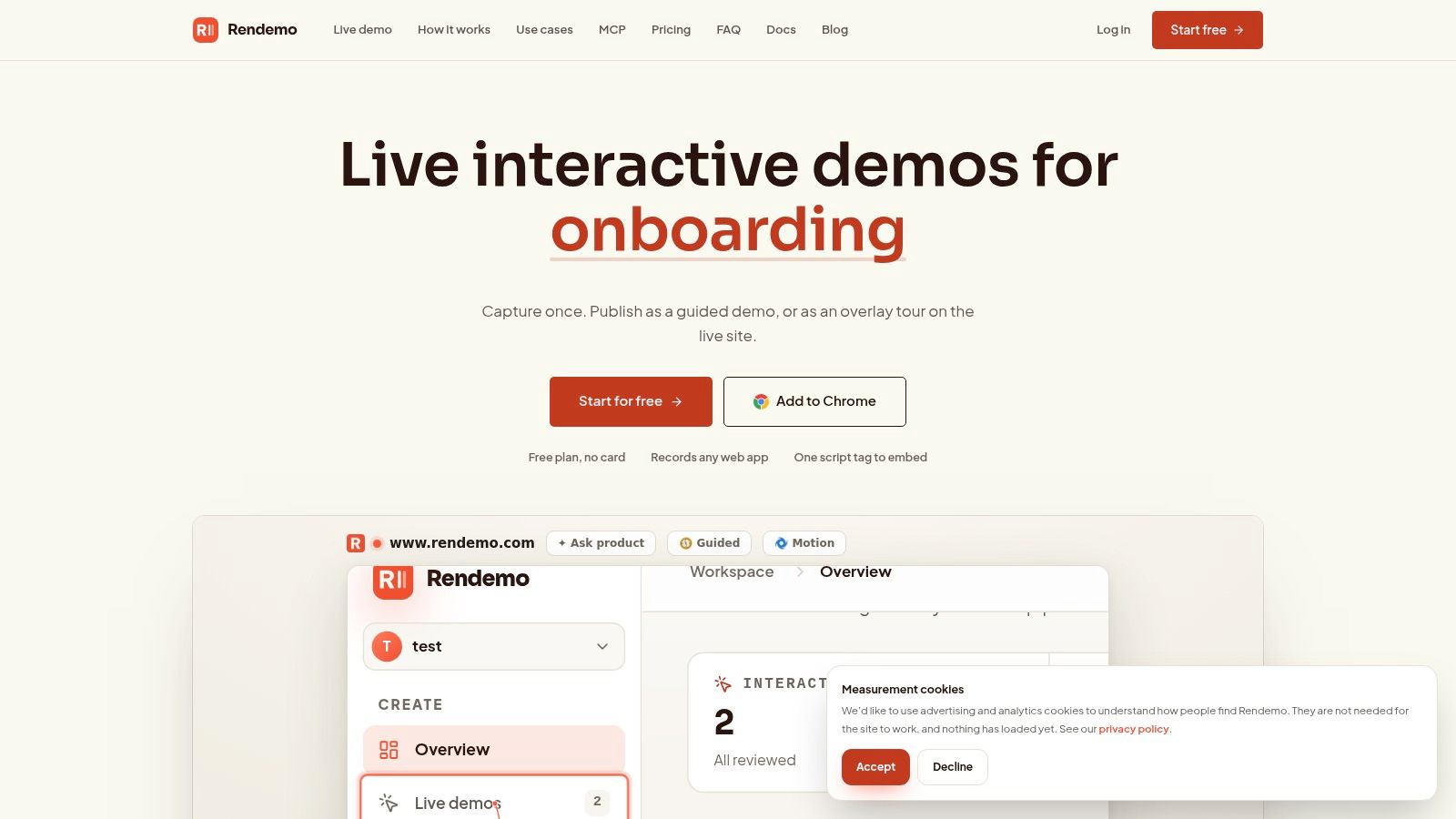
Rendemo is the strongest fit when onboarding content needs to travel beyond a single in-app tour. It captures the real HTML of your product, so viewers can click and type through a guided workflow instead of watching a static video or paging through screenshots. A Chrome extension records the workflow, then the visual Studio lets non-technical teammates refine the narrative, apply a brand kit, focus attention, and create persona variants or branching paths.
That same capture can become an embedded guided demo, a shareable link, an overlay Live Guide on the live product, or an exported MP4. This reuse matters for teams where product marketing, sales engineering, customer success, support, and product education all explain the same workflow in different places.
Practical rule: Record the workflow once, then decide where the audience needs it. Don't create separate demo assets for the website, help center, sales process, and in-app onboarding unless the user journey genuinely differs.
Where deployment gets interesting
Installation is lightweight, with a single script-tag embed and a non-technical recorder. Engineering teams can go further with tours-as-code, CI linting, role-based controls, localization, and the built-in MCP server. MCP-compatible agents such as Claude Code can generate, improve, and publish demos end to end, although those advanced workflows require engineering ownership and process discipline.
Rendemo's pricing is flat per workspace with unlimited creators. The Free plan costs $0 forever, includes real-HTML demos, one published demo or tour, up to 1,000 views per month, and displays a Rendemo badge. Pro costs $39 per month, adds unlimited published demos, analytics, a brand kit, persona variants, branching, and up to 25,000 views per month. Scale costs $129 per month and adds Live Guide, localization, roles and permissions, and up to 150,000 views per month. Enterprise includes SSO, SLAs, unlimited views, and custom pricing. These details are published on the Rendemo platform.
The trade-off is clear. The free plan is excellent for testing the format, but audience limits and the badge may push growing teams toward a paid plan. Recording is Chrome-based, and the code, CI, and MCP features are most valuable when developers are willing to maintain them.
2. Appcues
Appcues is a mature choice for SaaS teams that want non-technical staff to build in-product onboarding without waiting on engineering. Its Chrome-based Builder supports product tours, tooltips, banners, slideouts, checklists, pins, and embedded content. That breadth makes it useful when onboarding extends into feature announcements, contextual education, and persistent in-app resources.
The authoring model is familiar to product, marketing, and customer success teams. You select UI elements, compose an experience, define an audience, and publish. Targeting can use user attributes and behavior, so a new trial user can receive a different path from an existing customer adopting a new feature.
The trade-off is scale and scope
Appcues works best when the product itself is the main teaching surface. It's less suitable when the same workflow must serve prospects before signup, sales representatives, support agents, and customers in different channels. Its analytics help teams review experience performance, while Appcues AI can assist with copy, localization, workflow creation, and best-practice suggestions.
Pricing scales with MAUs, installs, and the number of published experiences. Advanced use commonly involves sales conversations, so model the likely audience and experience count before assuming a simple self-serve cost structure. A very small product with one straightforward flow may also find the platform heavier than necessary.
Appcues is a sensible operational choice when a product team needs a broad in-app pattern library and a publishing workflow that non-technical teammates can own.
Teams comparing Appcues with lighter or more specialized options can also review this comparison of user onboarding tools. Start with the activation behavior you need, not with the number of patterns in the catalog.
3. Pendo
Pendo combines two jobs that teams often split across separate products: product analytics and in-app guidance. Its guides include tooltips, walkthroughs, and banners with targeting, while its analytics cover funnels, paths, retention, feature usage, NPS, and feedback collection.
That combination suits product organizations that want to understand behavior and respond inside the same operating environment. Instead of exporting onboarding data into another system before deciding what to change, a team can inspect usage patterns, identify a friction point, and create a guide or survey around it.
Analytics are the reason to choose it
Pendo's value is strongest when onboarding decisions depend on behavioral evidence. Independent guidance recommends unifying activation rate, time-to-value, onboarding completion rate, feature adoption rate, and retention, then using funnels and cohorts to identify which segments struggle (product analytics guidance).
The downside is implementation depth. Pricing increases with MAUs, advanced capabilities commonly sit behind paid tiers or sales discussions, and cross-app or employee-facing use cases can require more involved deployment. Pendo does offer a browser-extension deployment option for employee applications, but that doesn't eliminate the governance and instrumentation work needed across multiple systems.
A free tier can help smaller apps begin with the platform, but teams should still define the event model and reporting ownership early. Otherwise, the analytics layer becomes a large collection of dashboards without a clear activation decision attached to them.
For a broader distinction between product experience platforms and interactive walkthroughs, see this guide to product experience software.
4. Userflow
Userflow is built for teams that want to publish onboarding quickly and keep maintenance relatively light. Its drag-and-drop builder supports flows, checklists, tooltips, announcements, surveys, and a resource center. That makes it a practical middle ground between coding tours from scratch and adopting a larger digital adoption platform.
The tool's targeting model uses events and attributes, with integrations into data tools and CRMs. Newer AI capabilities, including Adoption Agent and FlowAI, can accelerate authoring and personalization. They're useful for reducing the blank-page problem, but teams still need editorial rules so automated suggestions don't create inconsistent language, overlapping prompts, or overly aggressive guidance.
Fast publishing has a boundary
Userflow is a good match for product-led teams with a focused web product and a small group of people responsible for onboarding. The interface supports quick iteration, and its self-serve pricing and trial reduce friction during evaluation. That speed is valuable when product changes arrive frequently and a flow needs a quick revision rather than a long release cycle.
The limitation appears in enterprise scenarios. Userflow may not provide the same governance depth or cross-application automation as larger DAPs. If your onboarding spans several systems, requires formal approvals, or must coordinate complex change-management programs, you may eventually outgrow its lighter operating model.
Maintenance check: Before choosing a no-code platform, assign ownership for selectors, event definitions, copy updates, and release review. Fast authoring doesn't remove the need for a maintenance process.
Teams evaluating the difference between a lightweight builder and a broader demo workflow can also explore this comparison of product tour software.
5. Userpilot
Userpilot is an end-to-end in-app engagement platform for teams that want onboarding, analytics, feedback, and diagnosis in one subscription. Its experience layer includes tours, tooltips, and checklists with targeting. Alongside that, teams get product analytics, NPS and surveys, and session replay.
The appeal is consolidation. A product manager can build an onboarding flow, inspect where users abandon it, review a session replay to understand the behavior, and collect feedback without stitching together several separate systems. That can reduce context switching and make the path from observation to intervention shorter.
Who feels the trade-off
Userpilot is especially suitable for mid-market product and customer success teams that want more than a basic tour builder but don't need a broad enterprise adoption suite. A self-serve trial and published starting price make initial evaluation easier than with platforms that hide all pricing behind a sales process.
The main question is whether the consolidation replaces tools you already own. If your team already has a mature analytics stack and session replay product, Userpilot's bundled capabilities may be redundant. You could end up paying for overlap while still maintaining the original systems for other product areas.
Pricing scales with MAUs, and higher-volume deployments are likely to require custom quotes. That makes audience modeling important, particularly for products with large free or trial populations.
Use Userpilot when the team wants an integrated optimization loop. Avoid it when the only requirement is one simple onboarding flow or when existing analytics and replay tools already serve the same purpose well.
6. Chameleon
Chameleon is the composable option in this group. It provides Tours, Tooltips, Microsurveys, Launchers, and Embeddables, but its real strength is how closely those experiences can connect to an existing analytics, CRM, and lifecycle stack.
Teams can use event-based targeting and data synchronization with tools such as Amplitude, Mixpanel, Heap, HubSpot, and Calendly. That makes Chameleon useful when onboarding needs to respond to precise behavior rather than a broad user category. For example, the experience can be designed around whether someone completed a workflow, used a feature, or reached a particular product state.
Integration depth creates implementation work
Neutral guidance on interactive demos recommends segmenting by persona or behavior and tailoring variations because personalization can affect activation, time-to-value, feature adoption, and conversion measurement (interactive demo guidance). Chameleon gives teams the building blocks to execute that approach inside the product.
The cost is configuration. Advanced event targeting requires clear data definitions, reliable integrations, and someone who understands how the connected systems pass attributes and events. Pricing is usage-based and often sales-assisted at higher volumes, so the platform is easier to justify when precise orchestration matters more than a quick linear tour.
Chameleon is a strong fit for a growth team with an established data stack. It's less attractive for a small team that wants to publish a basic checklist this week without setting up a wider event and integration model.
7. Whatfix
Whatfix is designed for enterprise digital adoption across complex, multi-application environments. It supports no-code and low-code authoring for guides and task lists, in-app self-help, content aggregation from knowledge bases, analytics, and AI-assisted updates that include PII redaction.
That scope separates it from SaaS-focused onboarding builders. Whatfix can support employees moving through several business systems, customers navigating complex software estates, and organizations managing structured change programs. Its governance layer includes approvals, QA, rollback, and controlled releases, which become valuable when an onboarding change needs formal review before publication.
Enterprise control comes with a heavier operating model
Whatfix is not the tool to choose solely because a product tour looks useful. Enterprise pricing and implementation typically involve a sales cycle, and the maintenance burden is higher than with lighter platforms. Teams need administrators, content owners, application experts, and release processes that can keep guidance aligned with changing interfaces.
The broader market context supports this distinction. One estimate values the digital adoption platform market at USD 1.24 billion in 2025 and projects it to reach USD 4.37 billion by 2034, implying a 13.5% CAGR (Fortune Business Insights market estimate). That demand is tied to enterprise software utilization and digital transformation, not only first-run SaaS onboarding.
Choose Whatfix when governance, scale, and cross-application guidance dominate the problem. For a single web application and a small product team, its controls may be more operational weight than you need.
Top 7 Product Onboarding Tools Comparison
| Product | Implementation complexity 🔄 | Resource requirements ⚡ | Expected outcomes 📊 | Ideal use cases 💡 | Key advantages ⭐ |
|---|---|---|---|---|---|
| Rendemo | 🔄 Low → Moderate: one script + Chrome recorder; developer workflows optional | ⚡ Low for basic use; moderate dev time for tours-as-code, CI & MCP | 📊 Measurable interactive demos, fewer support tickets, better qualification | 💡 Product marketing, sales engineering, onboarding & docs | ⭐ True real‑HTML interactive demos; flat per‑workspace pricing; analytics |
| Appcues | 🔄 Low: Chrome visual builder for non‑tech authors | ⚡ Medium: MAU/experience‑based pricing can scale | 📊 Improved activation & feature adoption with experience analytics | 💡 Product‑led onboarding, feature launches, non‑technical teams | ⭐ Broad pattern library; easy no‑code authoring and playbooks |
| Pendo | 🔄 Moderate → High: analytics + guides setup can be involved | ⚡ Medium→High: MAU‑based pricing; analytics instrumentation required | 📊 Unified product analytics + in‑app guidance; feedback/NPS insights | 💡 Teams needing combined product analytics and onboarding | ⭐ Single platform for analytics, guides, feedback collection |
| Userflow | 🔄 Low: fast no‑code drag‑and‑drop flow builder | ⚡ Low→Medium: transparent self‑serve pricing; small setup overhead | 📊 Quick time‑to‑value and rapid iteration on flows | 💡 Product‑led teams seeking low overhead and speed | ⭐ Fast to implement; clear pricing; AI authoring aids |
| Userpilot | 🔄 Moderate: end‑to‑end features with some setup | ⚡ Medium: MAU‑scaled pricing; combines multiple tool needs | 📊 Consolidated engagement + analytics; replay aids diagnosis | 💡 Teams wanting an all‑in‑one in‑app engagement stack | ⭐ Combines tours, analytics, NPS and session replay in one product |
| Chameleon | 🔄 Moderate: event‑based targeting requires integration work | ⚡ Medium: integration and analytics wiring needed | 📊 Precise, data‑driven onboarding and targeted experiences | 💡 Teams with strong analytics stack needing fine targeting | ⭐ Deep integrations with analytics/CRM; composable patterns |
| Whatfix | 🔄 High: multi‑app guidance and enterprise governance adds complexity | ⚡ High: enterprise pricing, implementation and maintenance | 📊 Large‑scale, compliant adoption across many systems | 💡 Complex, cross‑application onboarding, change management | ⭐ Enterprise governance, cross‑app guidance, content aggregation |
Choose by Deployment, Not Feature Count
The right product onboarding tool depends on where the experience must run and who will maintain it. Choose Rendemo when the priority is reusable, interactive product communication across marketing, sales, support, and onboarding. Its real-HTML capture and multiple publishing options are more useful than a conventional in-app tour when the same workflow has to work before signup, during onboarding, in a help center, and in internal training.
Choose Appcues or Userflow when non-technical teams need to build and revise in-app flows quickly. Appcues offers a broader pattern library and a mature operating model. Userflow keeps the experience lighter and faster to publish, with less enterprise governance.
Choose Pendo or Userpilot when analytics and feedback should sit beside onboarding. Pendo is the stronger fit when product analytics and guidance need to share one platform. Userpilot is appealing when session replay, surveys, and in-app engagement should be consolidated.
Choose Chameleon when event-level integration matters and your team already operates a connected analytics and CRM stack. Choose Whatfix when multiple applications, formal governance, compliance, and change management outweigh simplicity.
Measurement should match the job. Track onboarding as discrete funnel steps, including each step's completion rate, defined as users who completed the step divided by users who started it. Review funnel metrics weekly, analyze segments and cohorts monthly, and reassess fit with the product, pricing, and customer base quarterly, following this onboarding analytics operating cadence.
Before implementation, document five things:
- First user outcome: Name the meaningful action that represents initial value.
- Guided workflows: List the screens, tasks, and decisions that need support.
- Targeting data: Define the events, attributes, roles, and account details required for personalization.
- Success signal: Connect the experience to activation, time-to-value, feature adoption, or retention.
- Maintenance owner: Assign responsibility for updates after UI changes, plus review and release practices.
One benchmark should not govern every product. The 2026 activation benchmark reports median “good” activation rates of 38% for B2B SaaS, 44% for fintech, 62% for e-commerce, 29% for B2B services, and 35% for vertical SaaS (industry activation benchmark). Use your own segments and cohorts as the baseline, then choose the tool that can move from insight to intervention without creating more operational work than the team can sustain.
Rendemo captures real HTML so prospects, customers, teammates, and new users can click through guided workflows across embeds, links, Live Guide overlays, and exported video. Visit Rendemo to compare the interactive demo workflow with the in-app onboarding tools in this list and test whether one reusable capture can cover more of your onboarding system.
See it instead of reading about it
Record one workflow from your real product and publish a clickable demo anyone can follow. Real-HTML capture is on the free plan.
Start free