Software Sales Demo Guide That Wins Deals Faster
· 17 min read
You've booked the software sales demo, prepared the account, and opened with the product everyone asked to see. A few minutes later, the prospect is quiet. Their camera is still on, but their attention has moved to another tab. You're clicking through settings, dashboards, and integrations, while they're still trying to answer a simpler question: How would this help my team?
That moment is common because many demos are built like feature tours. They show what the product contains instead of helping a buyer decide whether it fits a real situation. A strong demo feels less like a guided museum visit and more like a test drive. The buyer gets to experience the part of the product that matters, understand the tradeoffs, and see a sensible next step.
The mindset shift: A demo shouldn't prove that your product has features. It should help the buyer decide what those features mean for their work.
This guide breaks down what a modern software sales demo does, why interactive formats have become important, how to structure a live conversation, and when to use interactive or hybrid delivery. It also covers personalization, the balance between automation and human trust, and the metrics that tell you what to improve.
Table of Contents
- Introduction Why Most Software Sales Demos Lose Attention
- What a Software Sales Demo Really Is and How It Works
- Why Software Sales Demos Matter More Than Ever
- How to Structure a Software Sales Demo That Holds Attention
- Choosing the Right Demo Format for Your Buyer Journey
- Storytelling and Personalization That Make Demos Stick
- Measuring What Matters and Improving Your Next Demo
Introduction Why Most Software Sales Demos Lose Attention
The problem usually isn't that the product is boring. The problem is that the demo asks the buyer to do too much interpretation. They must remember their own workflow, translate each feature into a possible outcome, and decide whether the product is worth changing their current process.
That's a lot of mental work for a meeting that may have started without enough context. A seller might say, “Let me show you our reporting module,” then spend several minutes navigating filters. The buyer may care about finding the cause of missed renewals, but nobody has connected the reporting screen to that job.
A better demo begins with the buyer's situation. If a sales leader struggles to understand pipeline quality, show how a specific workflow reveals risk. If a solutions engineer needs to explain a complicated integration, show the path from configuration to a usable result. The product still appears, but it appears inside a decision the buyer already understands.
What you'll learn
A software sales demo can serve several teams at once:
- Product marketing can turn positioning into an experience buyers can explore.
- Sales and solutions engineering can guide a focused evaluation instead of repeating a generic tour.
- Customer success can reuse workflows for onboarding and expansion conversations.
- Support teams can replace abstract instructions with clickable guidance.
The format matters, but the decision context matters more. Live demos create room for discovery and trust. Interactive demos let prospects explore without waiting for a meeting. Hybrid experiences combine self-serve discovery with human guidance when the evaluation becomes more complex.
The rest of this guide follows that progression, from the basic idea to practical execution and measurement. You'll see how to choose a format, build a story, and use engagement signals to remove friction.
What a Software Sales Demo Really Is and How It Works
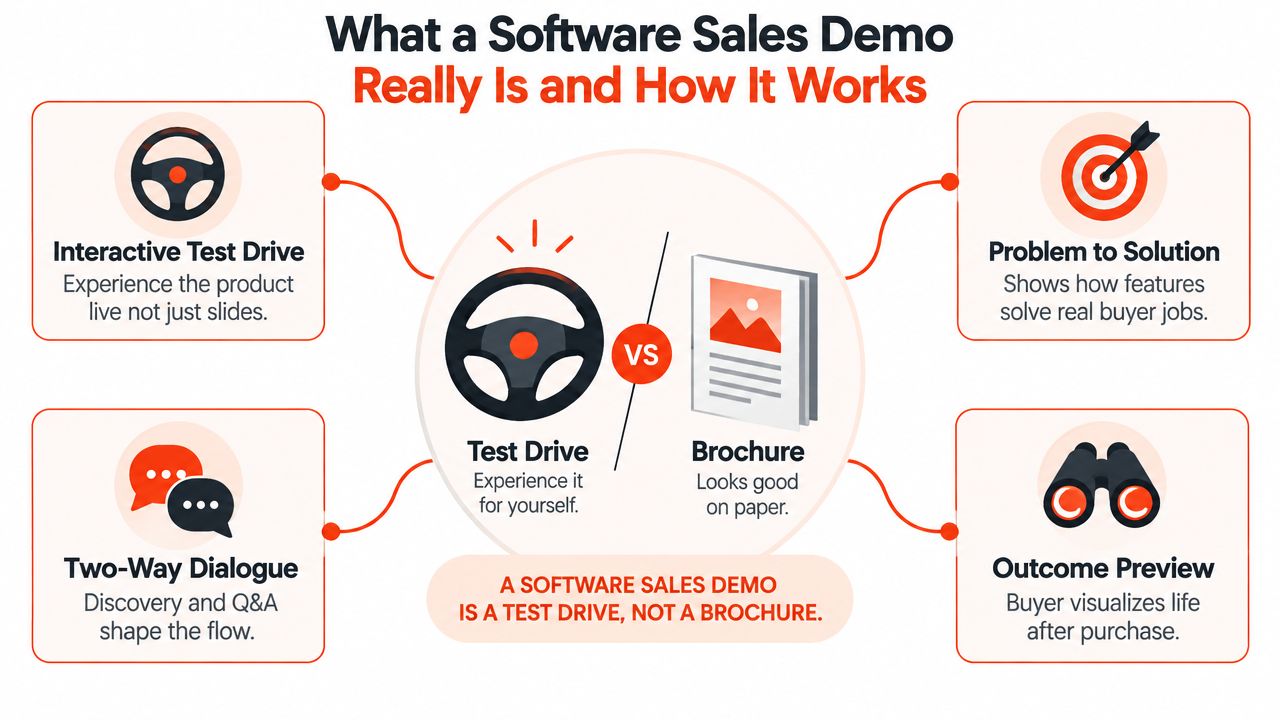
A brochure tells you what a car includes. A test drive lets you feel how it handles a turn, how quickly it responds, and whether it fits your daily routine. A software sales demo should work more like the test drive.
A pitch describes capabilities. A demo lets the buyer experience a relevant workflow and connect it to a problem they need to solve. That distinction changes what you show, what you leave out, and how you invite questions.
The three jobs of a demo
First, a demo translates features into buyer-relevant outcomes. A permissions setting matters because it may help an administrator control access. A workflow automation feature matters because it may reduce manual handoffs. The seller must make that connection explicit rather than assuming the buyer will make it alone.
Second, a demo gives the prospect evidence. Slides can claim that a product is easy to use. A guided interaction lets the buyer see the navigation, understand the sequence, and test whether the workflow feels familiar.
Third, the demo creates a shared decision moment. The buyer can say, “That's the part we need,” or “Our process works differently.” Those responses improve the conversation because they reveal fit, risk, and the next question.
Three delivery modes
Live demos work best when the product is complex, the buying group needs discussion, or trust and discovery are central. The presenter can change direction, answer objections, and show a workflow that matches the prospect's language.
Interactive self-serve demos work well earlier in the journey, on product pages, in outbound follow-up, or when buyers want to explore privately. The prospect controls the pace and can focus on the path that seems relevant.
Hybrid demos use an interactive experience to create familiarity before or after a human conversation. A prospect might explore a core workflow independently, then meet a seller to discuss integrations, implementation, security, or commercial fit.
Use this simple map to place your own motion:
| Demo type | Buyer need | Best use |
|---|---|---|
| Live | Discuss fit and risk | Evaluation calls and complex workflows |
| Interactive | Explore value independently | Website discovery and asynchronous follow-up |
| Hybrid | Combine autonomy with guidance | Multi-stakeholder evaluations |
Why Software Sales Demos Matter More Than Ever
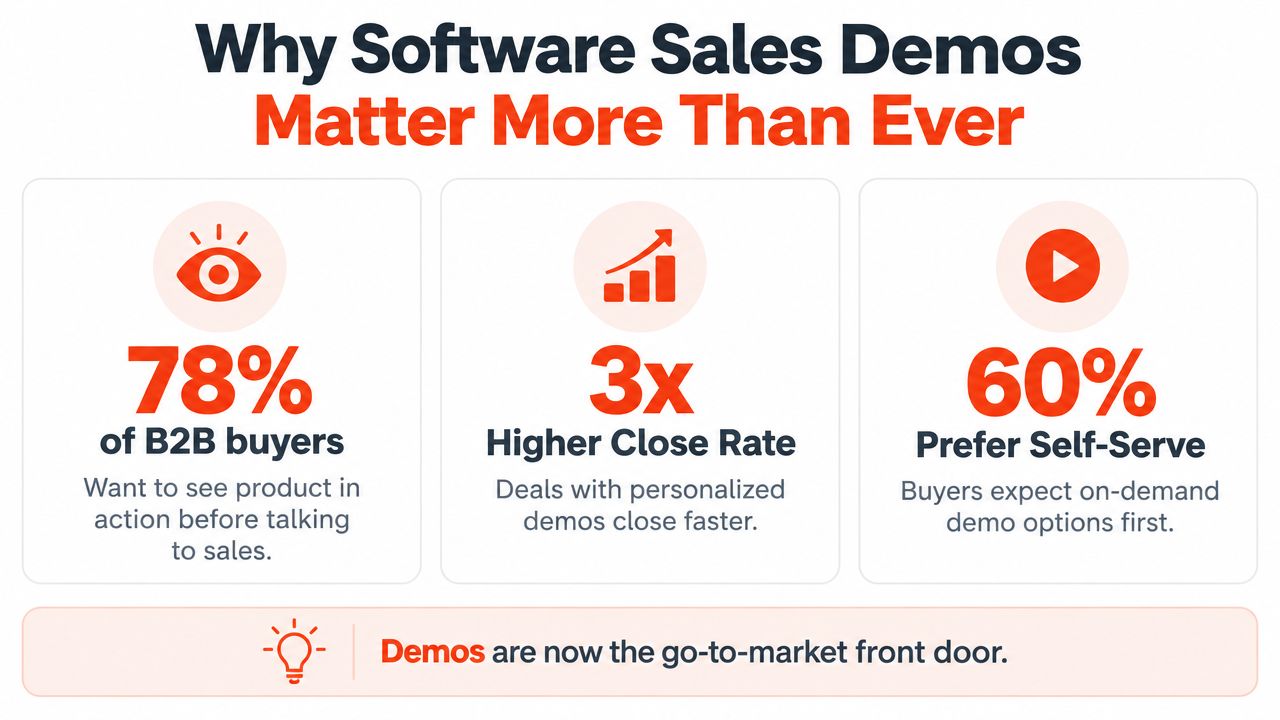
A buyer lands on your product page between meetings. They have a real problem, limited time, and no reason to book a call before seeing whether your product fits. That moment changes the job of a software sales demo. It is no longer only a late-stage sales aid. It is a guided decision point that helps a buyer decide whether further evaluation deserves time.
An independent benchmark of more than 5,000 B2B SaaS sites found that about 4.8% used a “Product Tour” call to action in the earlier 2020s, compared with roughly 18% using an interactive demo call to action in a later benchmark, reported in the State of the Interactive Product Demo report. Adoption had nearly quadrupled over a short period.
The reason is practical. Buyers can compare experiences, test a basic workflow, and judge whether a conversation is worthwhile before speaking with a representative. That makes the demo a front door for go-to-market teams, not just a presentation at the end of the funnel. Industry reporting has also described demo automation as a billion-dollar category, with one projection estimating a market of $2.1 billion by 2026.
Attention is brief, even when interest is real
A 2025 buyer-behavior report found that the average demo view lasted 5 minutes and 44 seconds, while the average demo exceeded 15 minutes. It also recorded an average view rate of 38% across segments, with SMB and growth companies showing the strongest view rates, as detailed in the Buyer Behavior Report 2025.
The gap points to a relevance problem, not a lack of interest. Buyers scan for evidence that the product addresses a recognizable situation. If the opening does not connect to that situation, they may leave before reaching the feature your team considers most important.
A widely cited benchmark also reported that 84% of buyers completed a demo with the vendor. Live or guided product exposure therefore appears throughout many B2B buying journeys. Slide-based explanations alone leave an important question unanswered: how does the product behave in the buyer's workflow?
Format should follow the decision. Use a live demo when complexity, objections, or several stakeholders require discussion. Offer an interactive demo when buyers want private exploration before a call. Combine both when an independent product experience can establish context, while a seller handles integrations, implementation, security, or commercial fit.
Traditional “book a demo” forms convert at only 1–2% of landing-page visitors in recent benchmark data, while interactive experiences can produce stronger engagement and conversion bands. A demo placed before the form gives interested visitors a way to qualify themselves without forcing every person into a meeting.
How to Structure a Software Sales Demo That Holds Attention
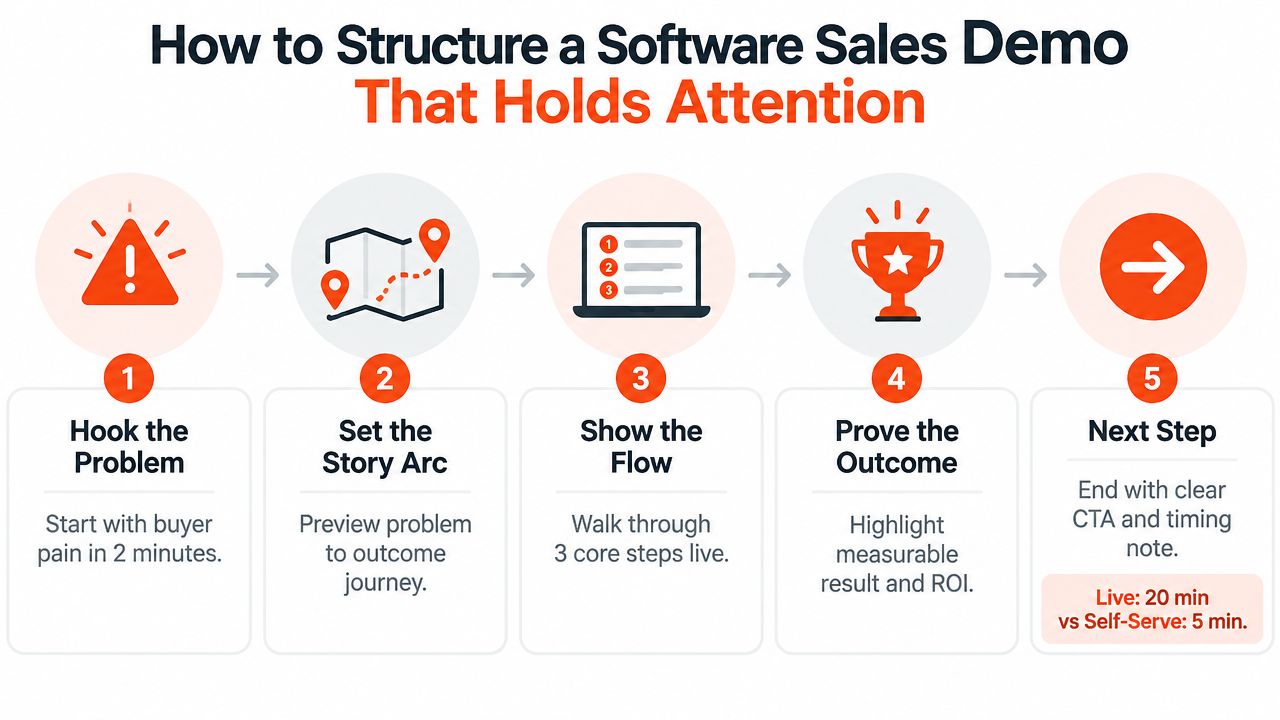
The most dependable demo arc is simple: problem, workflow, outcome. Start with the buyer's situation, show the smallest useful path through the product, and close by making the expected result concrete.
A live software sales demo is typically most effective at 20–30 minutes, while an interactive self-serve demo is usually 1–3 minutes, according to this software demo benchmark. Those formats need different pacing. A live session has room for discovery and questions. A self-serve experience must deliver its central idea almost immediately.
Golden rule: Lead with the buyer's situation, then show the product, then explain the expected outcome.
Build the arc before opening the product
Begin with a discovery hook. Use the buyer's own language, such as, “You mentioned that managers learn about forecast risk late in the month.” This confirms that you heard the problem and gives the audience a reason to watch the next interaction.
Next, preview the story. Tell the buyer which workflow you'll follow and what it should help them understand. A short roadmap reduces uncertainty and prevents the demo from feeling like a sequence of unrelated clicks.
Then show the flow. Pick the three core steps that prove the use case. If you're demonstrating lead routing, you might show the incoming lead, the qualification rule, and the assigned follow-up. Don't wander into every setting unless the buyer asks or the setting affects the decision.
Finally, prove the outcome. Summarize what changed in the workflow, who benefits, and what the buyer should evaluate next. The outcome doesn't have to be a guaranteed financial claim. It can be clearer ownership, fewer manual handoffs, or a more reliable review process.
Use pacing as a design decision
A good presenter doesn't rush every screen. They spend time where the buyer needs to think and move quickly through setup that doesn't affect the decision.
Use branches for distinct roles rather than forcing everyone through one long route. A finance leader may care about controls and reporting, while an operations manager cares about execution. Both can start with the same product story, then follow a relevant path.
A practical preparation checklist:
- Name the buyer problem: Write the situation in one sentence before building the flow.
- Choose the proof path: Select only the screens that demonstrate the promised workflow.
- Prepare realistic context: Use data and labels that make the scenario easy to understand.
- Plan the question points: Decide where you'll pause for confirmation or discovery.
- End with a decision: State the next action and what information it will require.
For a deeper treatment of the writing work behind the narrative, use this product demo script guide.
A short self-serve demo should feel like a well-marked trail, not a miniature webinar. Put the main value in the first path, use concise guidance, and offer a clear option to continue into a live conversation when the buyer has a more complex question.
Choosing the Right Demo Format for Your Buyer Journey
The right format depends on the buyer's job, not on the novelty of the tool. A marketing visitor often needs enough product experience to decide whether to keep researching. A buying committee may need a live conversation about technical fit, change management, and risk.
A practical comparison
| Buyer Job | Best Format | Why It Works |
|---|---|---|
| Understand the basic value quickly | Interactive self-serve | The buyer can explore a focused workflow without scheduling a call |
| Discuss complex requirements | Live | A presenter can adapt the path and answer questions in context |
| Revisit the product after a meeting | Hybrid | An interactive link reinforces the conversation while human support remains available |
| Compare role-specific workflows | Interactive with branching | Each viewer can choose the path closest to their responsibilities |
| Validate implementation details | Live with a controlled environment | Specialists can discuss dependencies while showing a reliable workflow |
Interactive demos are particularly useful when you need a real-HTML experience on a marketing site or in an asynchronous link. They let prospects click through a guided path instead of watching a fixed recording. They're also easier to distribute across product pages, outbound messages, sales follow-up, and internal champion enablement.
Live demos remain important when the evaluation depends on trust, ambiguity, or technical discussion. A human can notice hesitation, ask why a workflow matters, and adjust the conversation. That flexibility is difficult to reproduce with a fixed automated path.
Automation without losing credibility
The category is now splitting into interactive demos, video and demo rooms, and conversational demo agents, according to coverage of sales demo software in 2026. Yet a separate finding in that coverage says 97% of respondents still favor human interaction over automated demos.
That tension gives teams a useful operating principle. Automate repetition, not judgment. Let a self-serve experience explain the common workflow, then bring in a person for the questions that carry risk, nuance, or emotional weight.
Avoid forcing every buyer into an identical path. Use automation to make access easier, and use human guidance to make the evaluation feel understood.
Storytelling and Personalization That Make Demos Stick
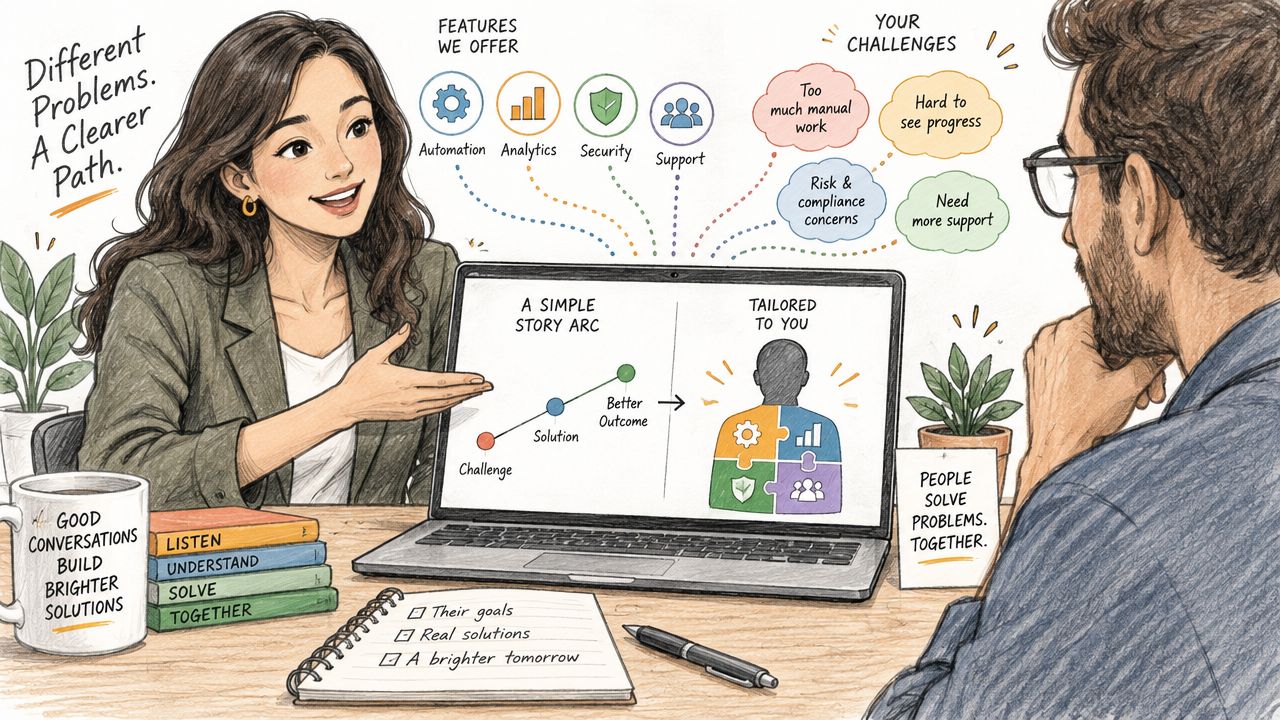
A feature tour answers, “What can the product do?” A useful story answers, “What happens to someone like me when they use it?”
That difference becomes obvious in a simple example. A generic analytics demo may show dashboards, filters, and export buttons. A situation-specific version begins with a revenue leader trying to explain a forecast change, then shows the workflow that turns scattered activity into a reviewable explanation.
Buyer research reports that prospects want demos specific to their situation and often don't connect features to their own problems unless the seller makes the link explicit, as discussed in this buyer research on situation-specific sales demos. Personalization isn't just adding a company logo. It means changing the story, labels, sequence, or examples so the buyer recognizes their work.
Use the buyer's job as the narrative spine
Start with a recognizable moment:
- A support manager needs to identify a recurring issue.
- A sales operations lead needs to route an urgent lead.
- A customer success manager needs to spot renewal risk.
- An administrator needs to control access without slowing the team.
Then connect each interaction to that moment. Instead of saying, “This is our automation builder,” say what the buyer can accomplish with it in the scenario. The feature becomes evidence inside the story.
A strong narrative usually has a few distinct paths rather than one overloaded tour. Persona variants can change the opening and the most relevant workflow. Branching can let a viewer choose “manager,” “administrator,” or “operator” and avoid irrelevant screens.
Reuse one capture across touchpoints
The same product capture can serve different jobs when the surrounding guidance changes. On a marketing page, it might be a short invitation to explore. In a sales leave-behind, it can reinforce the exact workflow discussed on the call. In onboarding, it can teach the new user how to complete the first task.
This reuse works when teams separate the product interaction from the message around it. Keep the workflow stable where it represents the product accurately, but adapt the framing, call to action, and persona language.
For practical examples of changing the path for different buyers, use this guide to personalizing a sales demo. The aim isn't to make every demo elaborate. It's to remove the moment when a prospect has to ask, “How does this apply to us?”
Measuring What Matters and Improving Your Next Demo
A demo can attract attention and still fail to help a buyer decide. Measure the path from the first click to the next sales action, then find the moment where interest turns into uncertainty. Where did the buyer lose the thread, and what should we change? A single completion rate cannot show whether the problem is the opening, workflow, form, or call to action.
Start with view rate and view time. If people open the experience but leave quickly, inspect the first interaction and the promise attached to it. A 2025 buyer-behavior report found an average demo view time of 5 minutes and 44 seconds, making early relevance a design requirement, as reported in the Buyer Behavior Report 2025.
Read the funnel, not just the headline
Step-level data separates content problems from distribution problems. If viewers reach the first workflow but leave at a form, the form may add friction. If they abandon at one product step, the explanation may be unclear or the path may demand too much.
Track these signals together:
- View rate: Shows whether placement, invitation, and audience create initial interest.
- View time: Reveals whether the opening earns attention.
- Step progression: Identifies the interaction where the story weakens.
- Conversion after engagement: Connects the product experience to the next action.
- Sales cycle impact: Shows whether qualified buyers evaluate the product more efficiently.
Use demo analytics to track step-level drop-off, then compare the pattern across live, interactive, and hybrid formats. A live demo may show confusion through questions or pauses. An interactive demo exposes where viewers stop independently. A hybrid format can automate repeatable explanation while preserving human help for high-stakes decisions.
Published B2B datasets have reported stronger funnel performance for interactive demo engagers. One 2026 analysis reported 24.35% website conversion among visitors who engaged with an interactive demo versus 3.05% overall, 10.1% deal conversion versus a 3.1% baseline, and a sales-cycle change from 33 to 27 days, as described in this interactive demo conversion analysis. Another industry report cites 24.35% versus 3.05% conversion, deals closing 23% faster, and a 1.5x higher MQL-to-SQL conversion rate when the demo is seen before form fill, in its interactive product demo benchmark.
Treat those figures as reference points, not promises. Audience, product complexity, traffic source, and sales process will shape the result.
Improve one friction point at a time
Review the drop-off screen with someone from sales and someone who understands the product. Ask what the buyer should have learned, what could be misunderstood, and whether the next action was obvious.
Great demos are guided decisions. Build one focused path, observe real viewer behavior, and revise the moment creating the most friction.
Rendemo helps teams create interactive product walkthroughs from real product interfaces, then publish them as website embeds, shareable links, overlay tours, or exported video. Visit Rendemo to test which workflows help buyers move forward.
See it instead of reading about it
Record one workflow from your real product and publish a clickable demo anyone can follow. Real-HTML capture is on the free plan.
Start free